Release Candidate of iOS 26.2, macOS Tahoe 26.2, iPadOS 26.2, Available for Testing

Dec 3, 2025 - Leave a Comment

Betas

A Release Candidate (RC) build of iOS 26.2, iPadOS 26.2, and MacOS Tahoe 26.2, have been released to those users participating in the beta testing programs for Apple system software. With the issuing of a Release Candidate build, it’s likely the final versions of these operating system versions will arrive next week.

The new versions of system software include a variety of small new features, tweaks, adjustments, and bug fixes to the various operating systems.

iOS 26.2 for iPhone introduces a slider to adjust how strong Liquid Glass presents on the Lock Screen (and given the overall reception of Liquid Glass, this should probably be introduced system-wide, and across all OS 26 operating systems). Reminders gains alarms, AirPods gains a Live Translation feature for EU users, you can have your screen flash for alerts, AirDrop gets a temporary access code feature for non-contact users, and more. On the Mac side of things with MacOS 26.2, FaceTime gets an Edge Lighting / Ring Lighting feature that aims to improve lighting during video calls, and Reminders gets alarms too. It’s unclear if the Reduce Transparency not working properly bug has been fixed with MacOS 26.2, or if the bug where iCloud does not work in virtual machines, has been resolved, amongst other problems reported by users.

Read more »

By Paul Horowitz - News - Leave a Comment

Watch Charlie Brown Christmas for Free on December 13 & 14 with Apple TV

Dec 3, 2025 - Leave a Comment

Charlie Brown Christmas

The Christmas classic movie “A Charlie Brown Christmas” will be free to watch on the Apple TV service on the weekend of December 13 and 14.

The classic cartoon follows a child who is upset about the commercialization of Christmas, and features the entire Snoopy gang. It’s a family favorite, and many people have fond memories of watching the movie from various times in their life.

While you can typically watch A Charlie Brown Christmas anytime on the paid Apple TV service, what’s unique about this particular offering is that, like the Charlie Brown Thanksgiving, it’s available for a limited weekend window to watch for free on Apple TV. A little Christmas present from Apple to everyone, perhaps?

Read more »

By Paul Horowitz - Fun, News - Leave a Comment

Watch the Fun Apple Holiday 2025 Commercial: A Critter Carol

Dec 2, 2025 - Leave a Comment

Holiday 2025 Apple ad

Apple has launched their official 2025 holiday advertisement for the season. This years commercial comes in at 2 minutes and features two friends taking a snowy hike, one of whom drops their iPhone into the snow, which is soon picked up by a forest creature, who proceeds to gather even more forest creatures to use the iPhone and stage a sing-and-dance. It’s goofy and fun, and all of the various animals are puppets, giving it sort of a Jim Henson vibe.

The holiday ad is called “A Critter Carol”, with a tagline “This holiday, remember that friendship is a gift”, and the entire commercial was shot on an iPhone 17 Pro (which is also the same iPhone that drops into the snow).

The full 2 minute 2025 Apple holiday commercial has been embedded below, it’s a good time and enjoyable watch:

Read more »

By Paul Horowitz - Fun, Mac OS, News - Leave a Comment

Add Christmas Lights to Home Screen, Dock, & Desktop with Festivitas for iPhone & Mac

Nov 30, 2025 - 2 Comments

Festivitas brings Christmas lights to iPhone Home Screen with fun widgets, or to the Mac Desktop

Festivitas is a fun app that brings some holiday spirit directly to your iPhone or Mac, by allowing you to add some animated holiday lights to your Home Screen or desktop. And if you’re using it on a Mac, you can even make it snow, or add Christmas lights to your Dock too. Deck the halls with bows of holly, and throw some holiday lights on your Mac and iPhone, to put yourself and anyone looking at your screen into the Christmas spirit.

Read more »

By Paul Horowitz - Customize, Fun, iPhone, Mac OS - 2 Comments

Fixing the “Civilization 6 is Damaged” Error on Mac

Nov 29, 2025 - 2 Comments

Civilization 6 on Mac

Civilization 6 may be an older strategy game, but it retains immense popularity and replay value for fans of the Civilization franchise. If you’re a Mac gamer who has Civilization VI (Civilization 6 for those who aren’t fans of roman numerals), you might have come across a situation where you go to play Civilization 6 and discover an error message that prevents the game from launching. The error says something like: ‘”Civilization Vl.app” is damaged and can’t be opened. You should move it to the Trash. This file was downloaded on an unknown date.’ with two options; Move to Trash, and Cancel.

If you see the Civilization 6 is Damaged error on MacOS and can not play the game, here’s how to fix that error message and play the fun strategy game again on your Mac. And yes this works in macOS Tahoe too.

Read more »

By Paul Horowitz - Games, Mac OS, Troubleshooting - 2 Comments

Black Friday Deals: AirPods 4 from $69, M4 MacBook Air from $749, & More

Nov 28, 2025 - Leave a Comment

Black Friday Amazon deals

Black Friday Deals are live on tons of great Apple products and there are many fantastic Apple discounts available from Amazon in particular. Whether you’re shopping for yourself or someone else this holiday season, take advantage of the deals while they last. You’ll find great deals on AirPods, Apple Watch, iPad, MacBook Pro, MacBook Air, Mac mini, and more.

AirPods 4 from $69

AirPods 4

AirPods 4, AirPods Max, and AirPods Pro are available at great prices from Amazon:

Apple Watch Series 11 from $339, Apple Watch SE 3 for $199

Apple Watch Series 11

Apple Watch Series 11 and Apple Watch SE 3 are both available at nice discounts from Amazon:

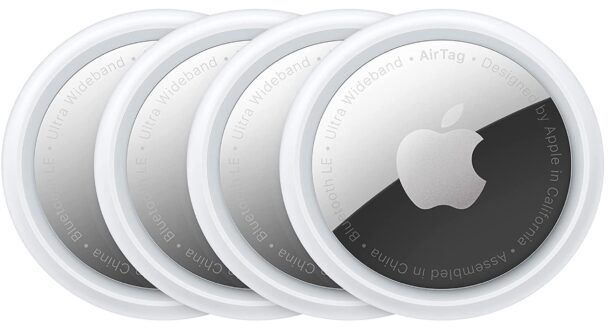
AirTags 4-pack for $65

AirTags

AirTags are great personal trackers, and can make for great gifts or split up the 4 pack into stocking stuffers too.

M4 Mac mini from $479

M4 Mac Mini

M5 MacBook Pro 14″ from $1399

MacBook Pro

The all new M5 MacBook Pro is currently the only Mac laptop available with an M5 chip, plus it has the 14.2-inch Liquid Retina XDR LED backlit Display, multiple port options, and a cooling fan.

M4 MacBook Air Deals from $749

M4 MacBook Air with 15-inch display and sky blue color

Amazon is is continuing to offer big early Black Friday discounts on M4 MacBook Air, taking $250 off the retail price, with the 13″ model starting at $749 (down from $999), and the 15″ starting at $949 (down from $1199).

13″ M4 MacBook Air ($250 off)

15″ M4 MacBook Air ($250 off)

Check out more of the Amazon Black Friday deals while you’re at it!

FTC: OSXDaily is an affiliate partner with Amazon, meaning if you click a link and make a purchase, we may receive a small payment which goes towards keeping the site running.

By OSXDaily - Deals - Leave a Comment

How to Disable Camera Lock Screen Swipe on iPhone

Nov 20, 2025 - 2 Comments

iPhone Camera

iPhone users have been able to access the iPhone camera through the Lock Screen by a swipe left gesture, which some people find to be very convenient, while others have noticed the swipe gesture can lead to inadvertent camera access and taking dozens of pocket pictures. If you’re in the latter camp, or you just don’t like the lock screen camera access gesture in general, you can disable it on iPhone with the latest versions of iOS. You’ll still be able to access the iPhone Camera from Lock Screen by pressing the Camera button there, it just turns off the swipe gesture feature.

Read more »

By Jamie Cuevas - iPhone, Tips & Tricks - 2 Comments

Early Black Friday Deals: $250 Off MacBook Air, $150 Off iPad Air, AirPods for $80, etc

Nov 20, 2025 - Leave a Comment

Early Black Friday deals are available for many great Apple products through Amazon, check some of them out now and get an early start on your holiday shopping.

M3 iPad Air for $150 Off

iPad Air M3 models

The M3 iPad Air 13″ and 11″ model are available at a $150 discount from Amazon. These are great iPad models and should be suitable for just about anyone.

There are also great deals available on iPad Mini and the base model iPad, if you’re looking for either a smaller enclosure or a cheaper device:

M4 MacBook Air Early Black Friday Deals

M4 MacBook Air with 15-inch display and sky blue color

Amazon is is continuing to offer big early Black Friday discounts on M4 MacBook Air, taking $250 off the retail price, with the 13″ model starting at $749 (down from $999), and the 15″ starting at $949 (down from $1199).

13″ M4 MacBook Air ($250 off)

15″ M4 MacBook Air ($250 off)

AirPods from $80

AirPods 4

AirPods 4 feature the iconic earbud design, and have many great features like gesture support, spatial audio, voice isolation, water and sweat resistance, Siri support, and USB-C charging.

Apple Watch Series 11 from $349

Apple Watch Series 10

You can get Apple Watch Series 11 discounted for $349, taking $50 off the retail price

FTC: OSXDaily is an affiliate partner with Amazon, meaning if you click a link and make a purchase, we may receive a small payment which goes towards keeping the site running.

By OSXDaily - Deals - Leave a Comment

Affinity is a Powerful Free Photoshop Alternative for Mac (and Windows)

Nov 19, 2025 - 3 Comments

Affinity for Mac is a powerful free Photoshop alternative

Affinity is a powerful creative application that offers photo and image editing capabilities, vector design, and page layout features, all in a single app, and feature-wise it’s easily able to compete with the likes of Adobe Photoshop or Illustrator. But unlike Photoshop or Illustrator, Affinity is now completely free – though advanced features like AI powered tools require a subscription – making it easily one of the best possible options out there for Mac users who want an advanced image editor or graphic design toolkit. Not only is Affinity free, it’s also not just for Mac, and it runs on Windows too, and an iPad version is in the works as well.

If you’re looking for a powerful image editor and vector design tool, Affinity is well worth checking out, and it makes for a fantastic Adobe Photoshop alternative as well.

Read more »

By Jamie Cuevas - Mac OS, Tips & Tricks - 3 Comments

Fix for Wi-Fi Issues with iOS 26.1 on iPhone: Wi-Fi Not Working, Dropping, No Connection, Slow

Nov 18, 2025 - 2 Comments

Fix iPhone Wi-Fi Problems After iOS 26 Updates

Some iPhone users have discovered that wi-fi is not working consistently with iOS 26.1 since updating their devices, and sometimes the wi-fi stops working entirely, the connection drops, wi-fi is active but does not work, or the wi-fi connection is unusably slow, often leading to timeouts rather than established connections. Sometimes you might even see “No Internet Connection” under the router name in Wi-Fi Settings on the impacted iPhone, informing you that despite being connected to a wi-fi router, there’s not a functional internet connection to the outside world. This causes the iPhone to fall back to its cellular connection, but some users also just manually are disabling wi-fi when they encounter the wi-fi connection issues.

I’ve been dealing with this unusual wi-fi dysfunction issue since the iOS 26.1 update, and I found a reasonable solution that doesn’t nuke all of your network settings. If you’re experiencing wireless connectivity problems with iOS 26 on iPhone, try this trick out and let us know if it works to resolve it for you.

Read more »

Grab a Fun  Beijing Wallpaper from Apple to Celebrate a New Store Opening

Nov 18, 2025 - Leave a Comment

Apple Livat Beijing wallpaper

Apple is opening a new store in Beijing China, and to celebrate they have released a series of wallpapers for Mac, iPhone, and iPad. The wallpaper features the retro six-color  Apple logo with some embellishments and patterns, giving it both a retro and modern feel.

You can snag the wallpaper below by clicking on any of the links for the respective device sizing:

The new store will be at the Livat shopping center in Beijing, and has a page on the Apple.com website dedicated to the new store (in Chinese), where the wallpapers are also available to download.

Apple has been opening new stores around the world for a while now, and with those store openings they are often releasing new Apple wallpapers to go along with the launches. Other recent new  Apple wallpapers from these events include the peacock feather Apple logo for a store opening in India, one for Osaka Japan, Perth Australia, Miami Florida, and more

By Paul Horowitz - Customize - Leave a Comment

How to Enable Quiet Mode on Adobe Photoshop

Nov 17, 2025 - 6 Comments

Photoshop on the Mac

Did you know Adobe Photoshop offers a “Quiet Mode” feature that aims to hush and silence all of the distracting alerts, pop-ups, and notifications within the app? I didn’t either, but this feature is fantastic if you want to get things done without all the distractions.

Adobe Photoshop is a powerful image editor with many capabilities and remains the industry standard, but it also has tons of frustrating clippy-esque pop-ups, alerts, and notifications, that can really get in your way while you’re trying to work in Photoshop. Even Adobe must know these alerts, warnings, and pop-ups are annoying and intrusive, because they offer a little-known feature called “Quiet Mode” that aims to reduce all the in-app nuisances and notifications, to what they consider to be only essential notifications. Why this isn’t the default, who knows, but with a little settings adjustment, you can have fewer annoyances and better focus while you work in Photoshop.

Read more »

By Jamie Cuevas - Tips & Tricks - 6 Comments

Deals: $250 Off MacBook Air, $100 Off iPad Air 13″, & More

Nov 17, 2025 - Leave a Comment

iPad Air M3 models

The iPad Air 13″ model is available at a $100 discount from Amazon, offering a nice deal for anyone in the market for a large tablet:

Read more »

By OSXDaily - Deals - Leave a Comment

3rd Beta of iOS 26.2, macOS Tahoe 26.2, and iPadOS 26.2 Available for Testing

Nov 17, 2025 - Leave a Comment

Betas

Apple has issued the third beta versions of iOS 26.2, iPadOS 26.2, macOS Tahoe 26.2, to those engaging in the beta testing programs for Apple system software. With a new beta build coming every week, it’s fairly likely we will see a final version released in December before yearend.

A handful of tweaks, changes, and new features are being worked on in the current betas. For iPhone, iOS 26.2 beta includes a slider to adjust Liquid Glass on the lock screen (they should probably bring this slider to all OS 26 versions and make it able to adjust Liquid Glass system wide, but what do I know I’m just a bozo user who sees a lot of complaints about the Liquid Glass interface on MacOS Tahoe and iOS 26), the Live Translation AirPods feature arrives for EU users, Reminders gets an alarm feature, AirDrop gets a temporary code feature for allowing non-contact users to exchange files, you can have your screen flash for alerts, and more. It’s unclear what bug fixes will be included in the new OS 26.2 releases, but hopefully hopefully MacOS 26.2 will fix the bug where Reduce Transparency does not work entirely in Tahoe, iCloud no longer works in VMs, and other known issues.

Read more »

By Jamie Cuevas - News - Leave a Comment

How to Turn Off Journal “Time to Write” Reminders on iPhone & Apple Watch

Nov 14, 2025 - 2 Comments

Apple Watch Journal Time to Write notification

Once you use the Journal app, it will send a daily notification to your iPhone and Apple Watch (yuck) with a reminder that says “Time to Write”, nudging you to create a new journal entry for the day. If you’re annoyed by the Journal “Time to Write” alerts on your iPhone or Apple Watch, you can disable them completely.

Read more »

By Jamie Cuevas - Mac OS - 2 Comments

Beta 2 of iOS 26.2, macOS Tahoe 26.2, and iPadOS 26.2 Available for Testing

Nov 12, 2025 - 4 Comments

Betas

The second beta versions of iOS 26.2, iPadOS 26.2, macOS Tahoe 26.2, are now available for testing for users participating in the beta programs for Apple system software. watchOS 26.2 beta 2 and tvOS 26.2 beta 2 are also available if you’re testing on those devices.

iOS 26.2 beta features a slider for adjusting intensity of Liquid Glass on the lock screen, AirPods live translation feature arrives for EU users, Reminders get an alarm option for both iOS and macOS, and you can now have your screen flash with alerts. There will likely be additional refinements, features, and bug fixes as well across the OS 26.2 lineup, hopefully including fixes for a bug where Reduce Transparency no longer fully works on macOS Tahoe, VMs do not work with iCloud, and other issues and bugs experienced by users.

The most recent stable builds of system software are currently iOS 26.1, iPadOS 26.1, and macOS Tahoe 26.1.

Read more »

By Paul Horowitz - News - 4 Comments

How to Make Icons Clear in iOS 26 for iPhone & iPad

Nov 11, 2025 - 1 Comment

Clear icons look on iPhone and iPad Home Screen offers a nice customization option

The Liquid Glass interface of iOS 26 makes everything more transparent, and you can bring that effect to your Home Screen icons too by making them clear. The clear icon look offers a dramatic visual change to the icons on your iPhone or iPad, stripping them of the usual bright neon colors and transforming them into translucent outlines instead.

Aside from many users liking the appearance of Clear icons, one of the biggest perks of using Clear icons on your iPhone or iPad Home Screen is that it strips away the color from the bright red notification badges that show numerical indicators of things like missed calls, voicemails, unread messages, app updates, number of unread emails, notifications, and alerts.

If you’re interested in dramatically transforming the look and feel of your iPhone or iPad Home Screen by making the icons clear, read along and you’ll have this neat customization enabled on your device in just a moment.

Read more »

By Jamie Cuevas - Customize, iPad, iPhone, Tips & Tricks - 1 Comment

How to Switch from Clear or Tinted Appearance in MacOS Tahoe

Nov 10, 2025 - 2 Comments

macOS Tahoe Clear and Tinted appearance options

The latest versions of macOS Tahoe include a new toggle that allows you to switch between two slightly different appearance modes for the Liquid Glass interface; “Clear” and “Tinted”. This setting was introduced to the Mac with macOS Tahoe 26.1 (and iOS 26.1 / iPadOS 26.1 for iPhone and iPad), and offers another way to customize the look and feel of your Mac a bit.

The difference between “Clear” and “Tinted” is very subtle when in Light Mode, and just slightly more obvious when in Dark Mode, but if you’re hoping for a major rollback of Liquid Glass this is not it (and unfortunately Reduce Transparency doesn’t completely work in macOS Tahoe 26.1 now either).

Read more »

By Paul Horowitz - Customize, Mac OS, Tips & Tricks - 2 Comments

Subscribe to OSXDaily

Subscribe to RSS Subscribe to Twitter Feed Follow on Facebook Subscribe to eMail Updates

Tips & Tricks

News

iPhone / iPad

Mac

Troubleshooting

Shop on Amazon to help support this site